AI Gateway
The AI Gateway gives developers a single endpoint to call your organization's models from their own applications, with the standard OpenAI format. Calls go through your organization's rules: model access, quotas, and usage tracking.
Before you start
- Using the gateway needs the Use AI Gateway permission (or the administrator role).
- Each developer needs a personal API key.
Get started
- On the Organization side, open Settings, then AI Gateway.
- The Getting started tab gives the Endpoint, how to pass your key (
x-api-keyheader), the Available models, and a Sample call to copy. - Try models in the Playground before writing code.
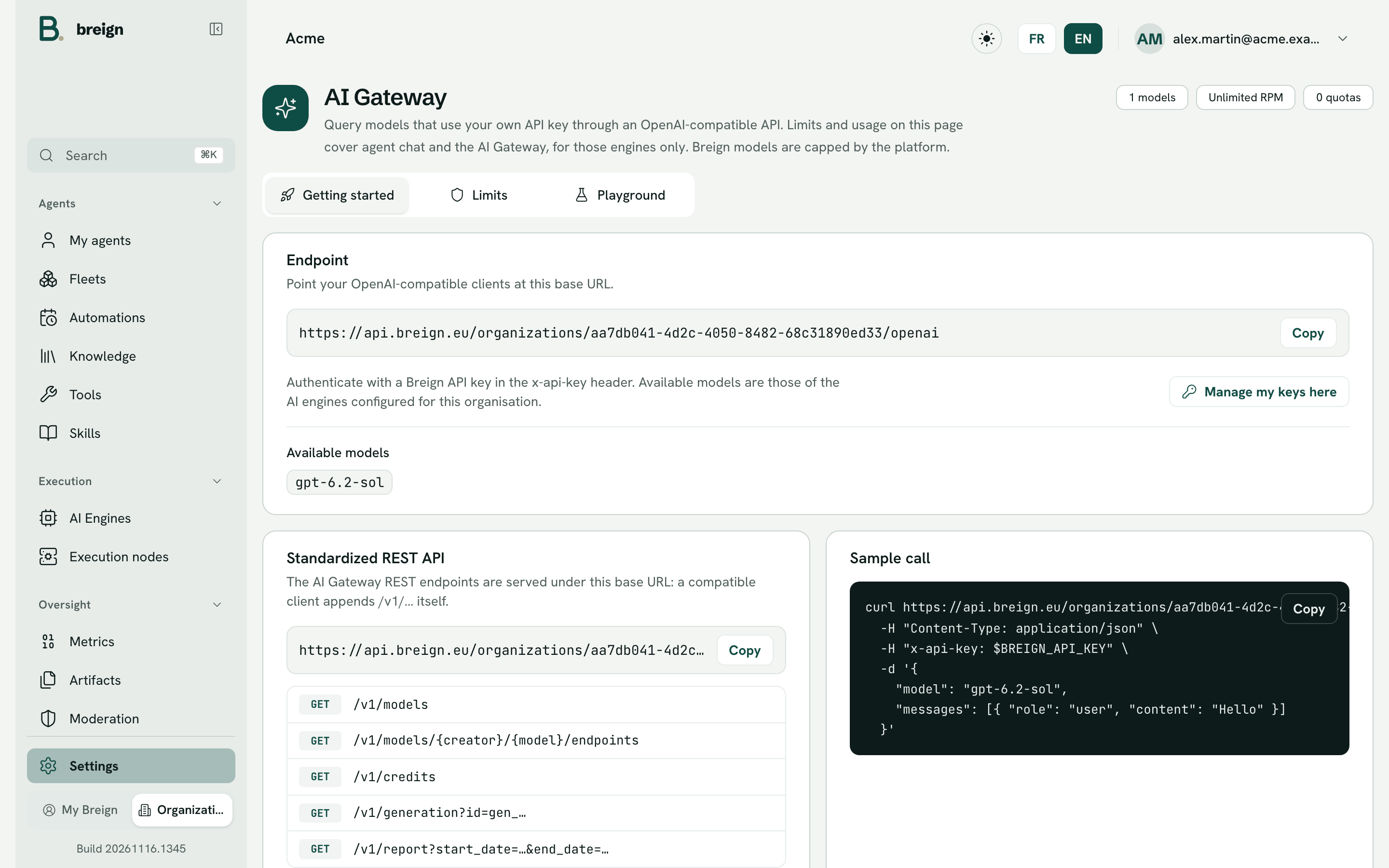
Any SDK that accepts an OpenAI base URL works: point it to the endpoint and use one of the available model ids.
Follow usage
The Usage tab shows calls and tokens by user and model. Gateway usage also appears in Metrics, in its AI Gateway section.
Set limits and budgets (administrators)
The Limits tab caps what each user can consume. These limits apply to agent chat and the AI Gateway, on engines that use your own API key. Breign models are capped by the platform.
- Rate limit: Requests / minute (per user). Leave it empty for unlimited, then Save RPM.
- Token quotas: a cap of tokens per Day or Month, for a user on a model. Click Add quota, choose the User, the Model, the Token limit and the Period, then Save quotas.
- Euro budgets: a spending cap per user and per Day or Month, across all models of your engines. Click Add a budget, choose the user and the Amount (€), then Save budgets. Each line shows what is spent, for example €3.20 spent of €10.
Apply a rule to everyone
For a quota or a budget, choose All users instead of a person: the rule applies to each user separately, so you don't have to repeat it for every member. A rule set on a specific user replaces the All users rule for that user. For example, with All users: €10 / month and Alice: €50 / month, Alice can spend €50 and everyone else €10.
How budgets are counted
- Each usage is converted to euros when it happens, at the model's price per million tokens set in AI engines. A later price change doesn't modify past spending.
- Only models with a price in euros count. A model without a price, or priced in another currency, isn't counted in budgets, but still counts in token quotas. If none of your models has a euro price, the tab warns you: budgets would block nothing.
- A user can have both a token quota and a budget: the first one reached blocks them.
- Calls made without a user (for example by an application with its own credentials) aren't counted.
The Playground counts like an API call: its runs use your own quotas and budget.
If something goes wrong
- 401: the API key is missing or wrong.
- A model isn't available: it isn't enabled on an engine, or you aren't allowed to use it. See AI engines.
- 429: you reached a gateway limit. Wait, or ask an administrator to raise it.
- "Budget reached": your euro budget is spent for this period. It resets at the next day or month; an administrator can raise it.
- A budget never blocks anything: the models used have no price in euros. Set their price in AI engines.