Inference providers
Breign is agnostic to what models you decide to leverage for your use-cases. As the administrator of your Breign Organization, you can add as many inference providers as you wish, wether they are cloud providers from major vendors, a specific partner you have, your own local infrastrucure, and even your local computer.
Adding a provider
To add a provider, you must have the appropriate permission from your organization. Then, head over to the AI Engines to create a new provider.
Select your provider type. We have dedicated implementations for some major vendors and major infrastructure such as vLLM and Ollama. If you have another provider that is not in this list, you can still add it via the "Other" type, as long as it exposes an Open AI /v1 compatible endpoint (which much tools and providers to).
If you need a support for another specific provider that do not implement an OpenAI /v1 compatible endpoint, contact your support representative to get an implementation quote.
You can customize the endpoint your provider gave to you (or keep the default endpoint for most cloud vendors), and input your API Key.
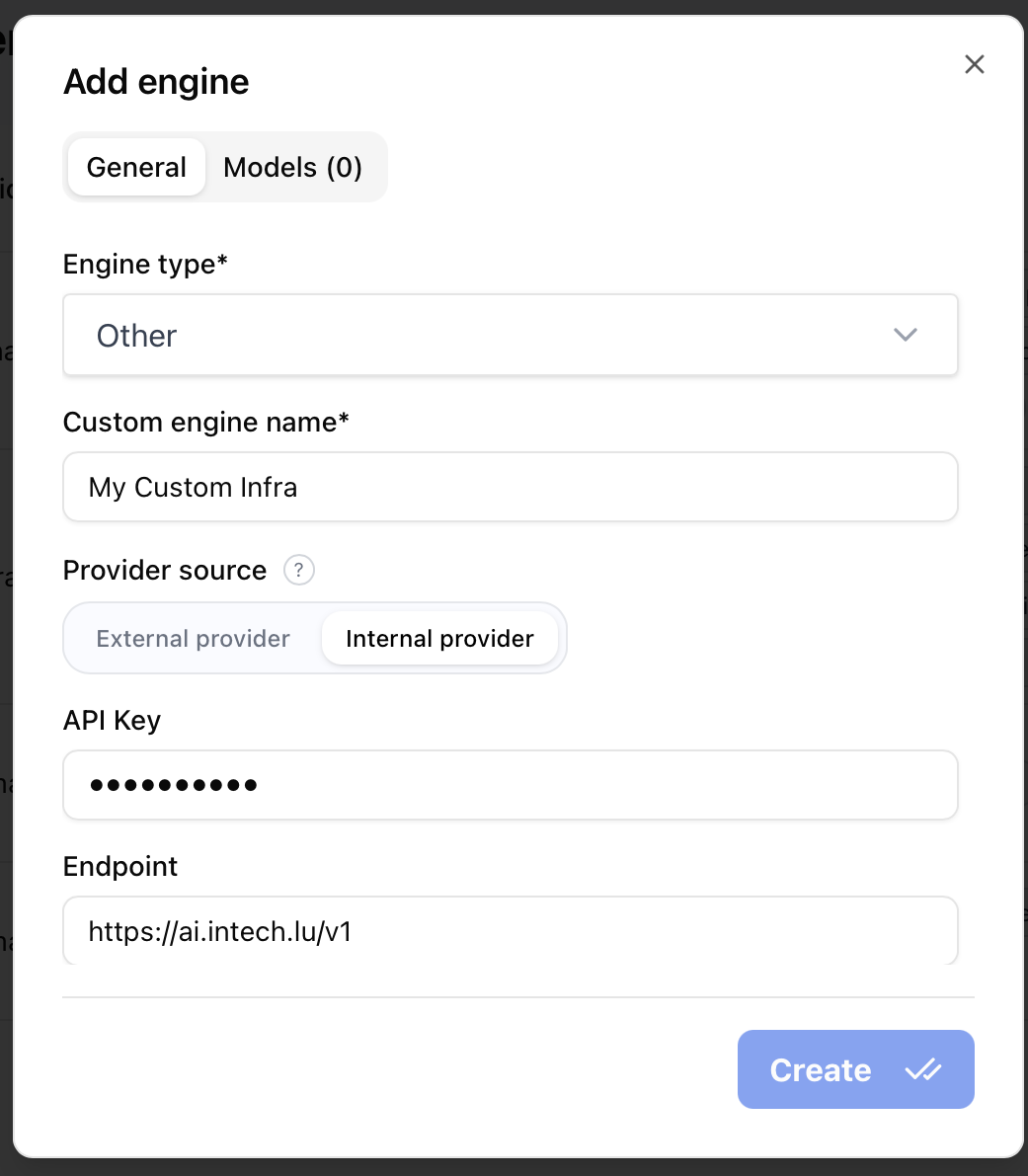
You have the ability to configure the provider as being an Internal provider or an External provider. This mention is used by some other features of Breign, especially Guardians and some UIs to help your users identify if they are sending information to an external vendor or if the information will remain in an internal (or trusted) provider.
As a rule of thumb, we recommend you set External to all cloud vendors and Internal to models you host yourself (or via providers you can send confidential information to).
Configuring models
Breign allows only models you have activated in the AI Engines pages for each providers. You can add and remove models from this page by editing an engine.
For most cloud vendors, we fetch and list available models you can add yourself.
For local hosted infrastructure and some specific providers, you might have to manually enter the IDs of models (as given by your provider).
Do not forget to configure capabilities of models (vision and multimodality, dedicated embedding vectorizer models, support of tools, ...). You can also setup specific global settings such as max tokens, temperature, and any other property supported by your provider.
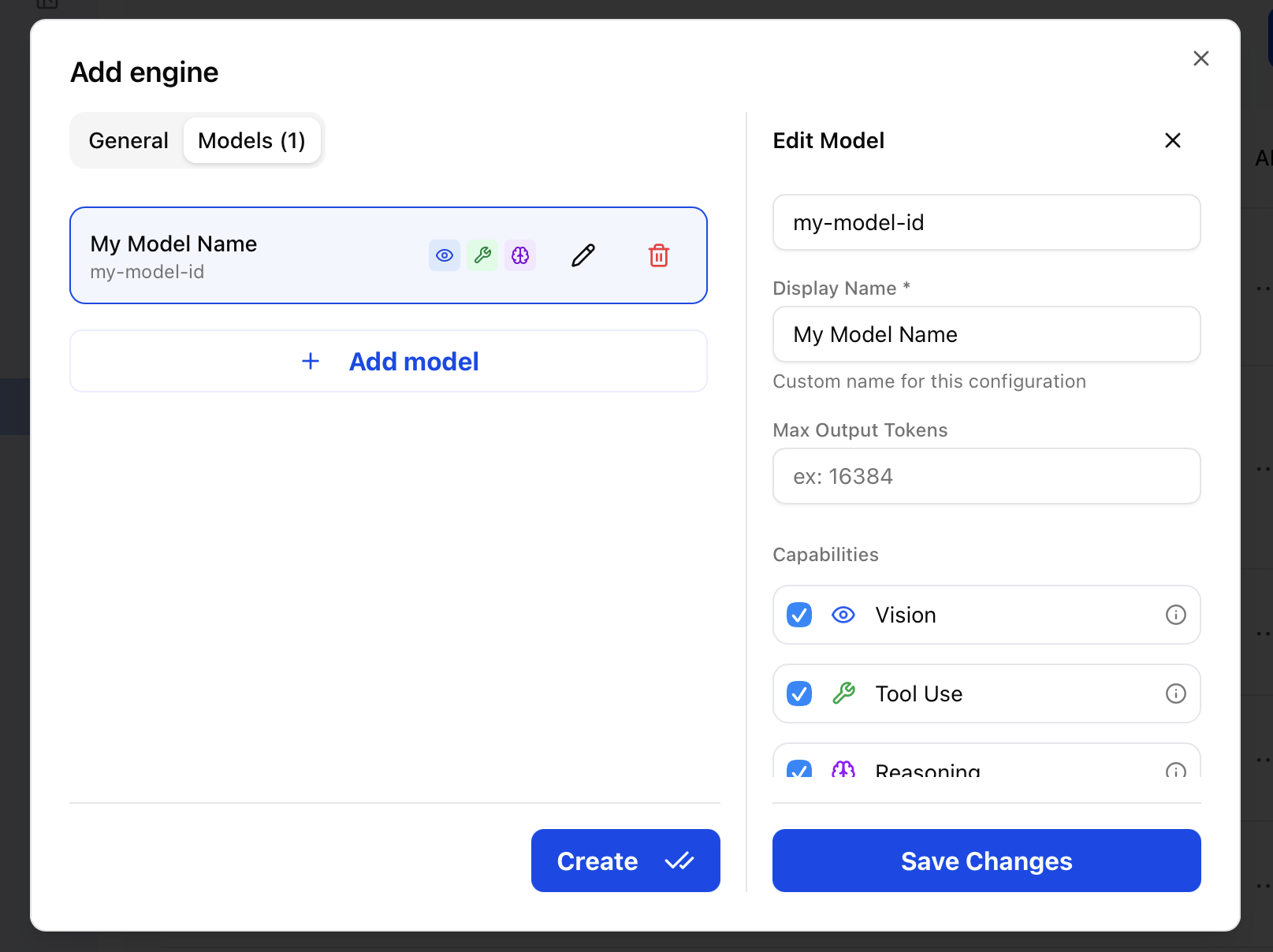
These settings will apply to all agents and Breign features using this model.