Persona and instructions
The persona gives your agent an identity: who it is, its tone, how it addresses people. The initialization instructions tell it what to do and how: its mission, its rules, what it must never do. Together they shape every answer.
Before you start
- You need an agent and the Update agents permission. See Create an agent.
Write them yourself
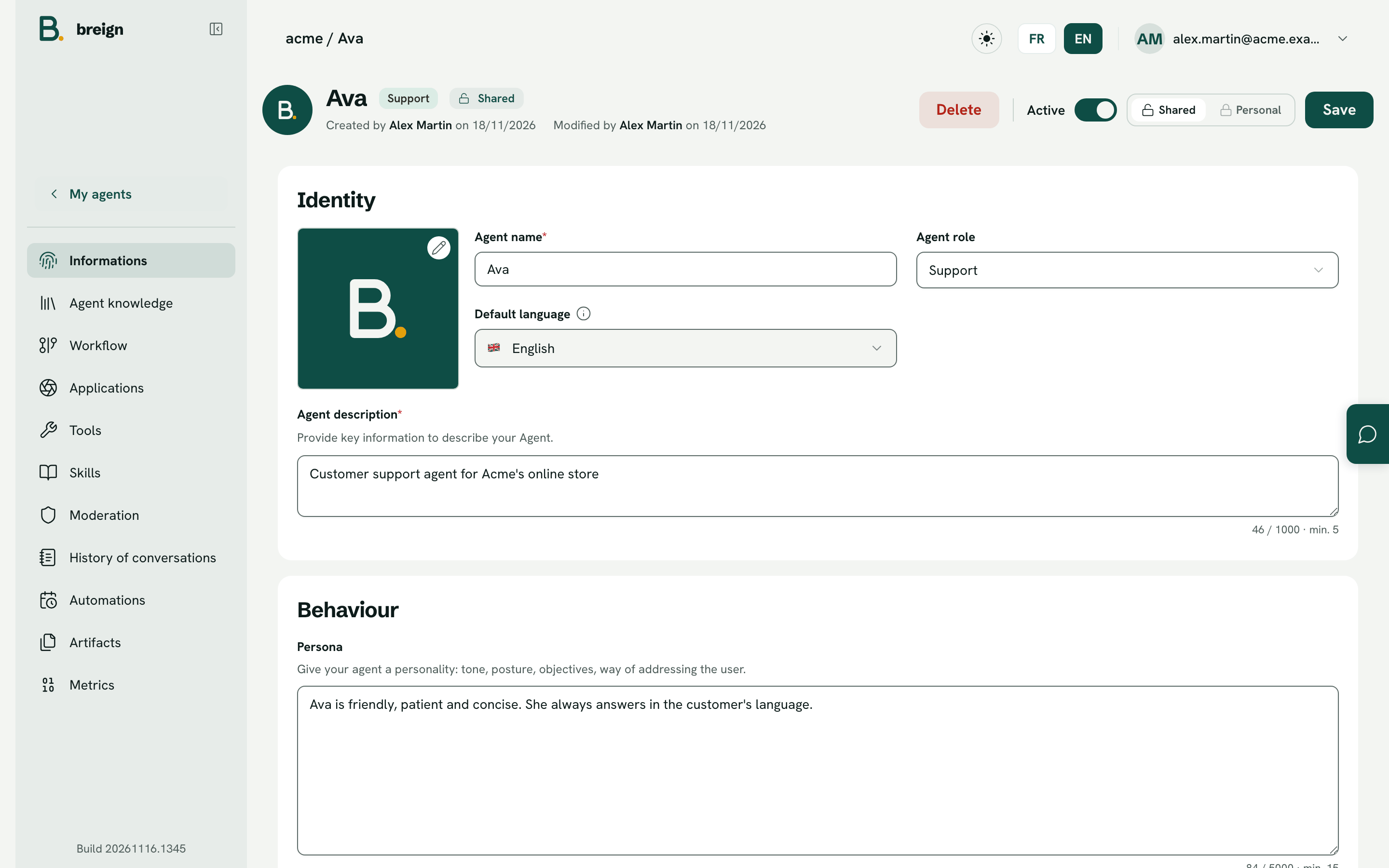
- Open My Agents and click the agent. You land on its Informations page.
- In the Behaviour block, write the Persona: for example "You are Claire, a precise, patient and helpful tax assistant specialized in Luxembourg taxation. You address users formally."
- Write the Initialization instructions: the agent's mission, the steps it follows, the format of its answers, its limits. Keep them focused; short and clear instructions work better than long ones.
- Click Save.
In the instructions you can use placeholders that Breign replaces on each message: {{PERSONA}}, {{LANGUAGE}}, the agent's name, the date and time, and your own context variables.
Let Breign draft them
- Next to the instructions, click Help me write.
- Answer the questions:
- What should this agent do?
- Who is it talking to? (customers, internal colleagues, domain experts, the general public…)
- What may it rely on? Only the information provided, or also its general knowledge.
- Answer style: short and direct, thorough and structured, or step by step.
- What it must never do.
- Optionally, Write with a different engine for this run.
- Click Generate the prompt, read the Proposal, then Replace my instructions (or Regenerate).
- Click Save. Until you do, the page reminds you: "Instructions generated — remember to save." Undo puts your previous instructions back.
Result
You see "The agent has been successfully updated!". New messages follow the persona and instructions you set.
If something goes wrong
- "The persona must contain between 15 and 5000 characters.": shorten or complete it.
- "The initialization instructions must be at least 50 characters long.": instructions need at least 50 characters, and at most 50,000.
- A warning about long instructions: above about 5,000 characters, Breign warns that a shorter prompt usually performs better. You can still save.
- The agent ignores part of your instructions: very long prompts dilute the important points. Move reference material into a knowledge base or a skill.
- "No AI engine is configured for this agent or for your organization." in Help me write: an administrator must add an AI engine.