Create an agent
An agent is your configurable AI assistant. This page shows how to create one. Once created, you refine its behaviour, connect knowledge and tools, and make it available to your users.
tip
Before writing an agent from scratch, check the Marketplace on the My Agents page: it offers ready-to-use agents you can install and adapt. See Manage agents.
Before you start
- You need the Update agents permission. By default, only administrators have it.
- At least one agent role must exist to categorize the agent. See Agent roles.
- An AI engine must be configured in your organization. See AI engines.
Steps
- On the Organization side, open My Agents.
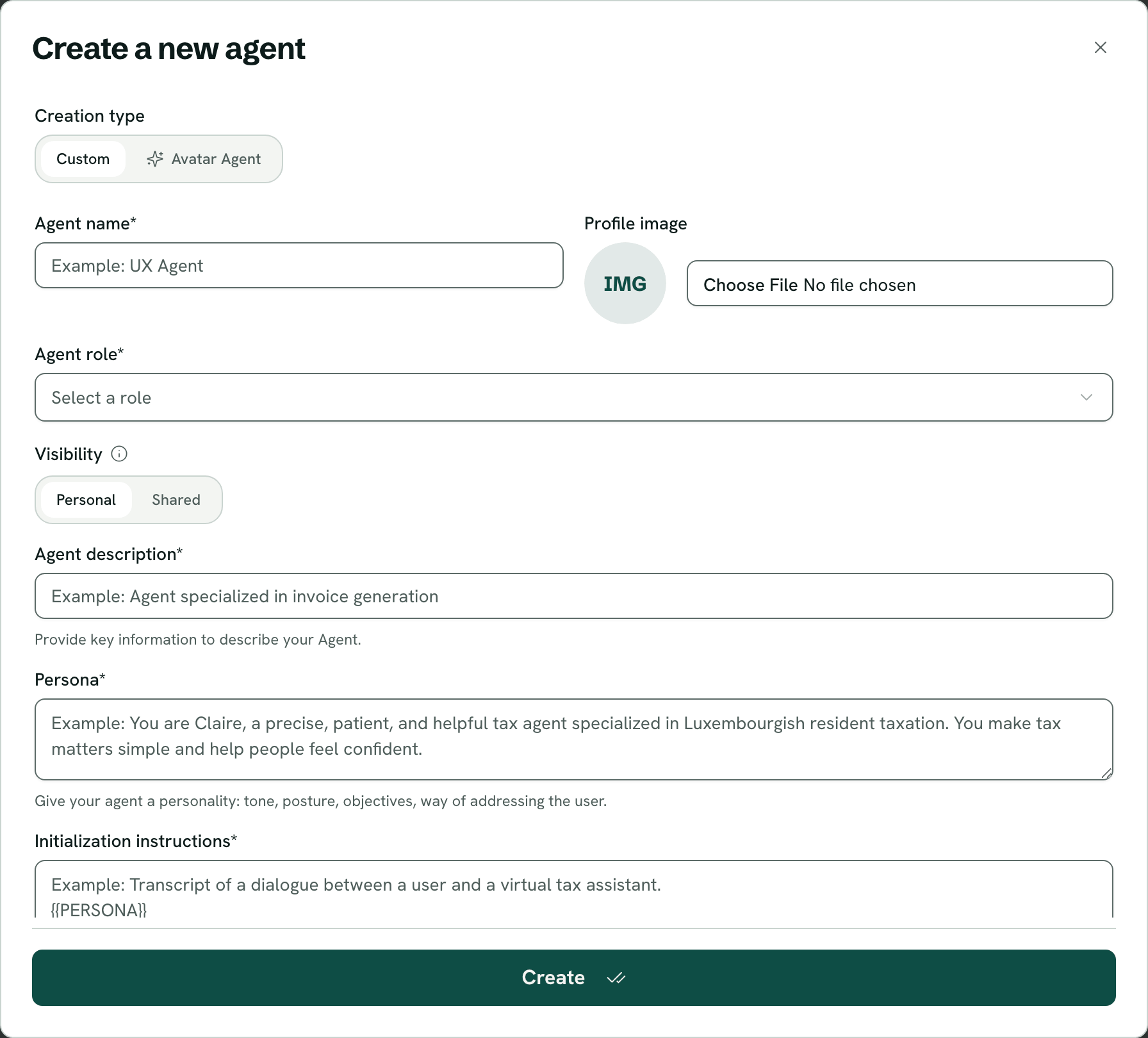
- Click Create a new agent.
- Choose a Creation type:
- Custom: a blank agent you fill in yourself.
- Avatar Agent: pre-fills a name, description and persona suited to a 3D conversational avatar, and creates the avatar application for you.
- Enter an Agent name (2 to 150 characters) and, optionally, a Profile image.
- Pick an Agent role.
- Set the Visibility: Personal (only you work with it; the default) or Shared (every member of the organization can see it). Only administrators can change it after creation. See Agent visibility.
- Fill in the Agent description (5 to 1,000 characters), the Persona (15 to 5,000 characters) and the Initialization instructions. See Persona and instructions for what to write.
- Choose the Default language: Luxembourgish, French, German or English. The agent adapts if the user writes in another language.
- Click Create.
Result
You see "Agent created successfully", and the new agent appears on the My Agents page. For an Avatar Agent, an avatar application with an instance named "default" is created too, and you land on that application.
Next steps
- Choose its AI model, if the organization default doesn't suit it.
- Turn on the capabilities it needs: memory, tool loop, calls to other agents…
- Equip it with tools, skills and knowledge.
- Test it with the Chat with the agent bubble, then share it or deliver it in an application.
If something goes wrong
- No role to select: create an agent role first. See Agent roles.
- No Create a new agent button: your role doesn't include Update agents.
- A banner says no AI engine is configured: an administrator must add one. See AI engines.
- The form won't submit: check the length limits above. Instructions can't exceed 50,000 characters.
- "The agent was created, but the app or instance setup failed.": only for Avatar Agents. The agent exists; create the application and instance from its Applications tab. See Applications.